Press kit

A press kit for a metronome that listens.

TempoStep is an iOS metronome that advances tempo when you stop playing, not when a timer runs out.

Name
TempoStep
Category
Music · Practice tools · Metronome
Platform
iOS 17+iPhone
Price
$4.99 · One-time purchase · No subscription, no ads
Launch date
Q3 2026 · iOS App Store
Press contact
[email protected]
Maker
Alan Molina · Independent developer · Orchestral violinist
Descriptions

Three lengths.
Pick the one that fits your format.

01One sentence
TempoStep is an iOS metronome that listens to you play and advances the tempo when you stop, so practice paces itself.
0250 words
TempoStep is a metronome for iPhone built around a single idea: the tempo advances when you stop playing. The microphone hears your instrument, sets a noise floor for your room, and waits for silence to step the BPM toward the goal you set. No timers, no bar counts.
03Full description
TempoStep is an iOS metronome designed for targeted tempo practice. Instead of advancing on a bar count or a timer, TempoStep listens. The app calibrates against the noise floor in your room, then watches the level meter as you play. When you stop, a silence countdown begins; when it ends, the BPM steps up by an increment you set, toward a target you've chosen. Take as long as you need between passes, stretch, think, reset, the next tempo is already waiting when you start playing again. Four practice modes (Step Up, Shuffle, Spiral, Step Down) cover building toward a goal, training adaptability, reinforcing intermediate speeds, and working backward from a faster tempo. TempoStep runs in the background so it keeps working alongside forScore, IMSLP, and tuners. One-time purchase, no subscription, no ads. Built by Alan Molina, an orchestral violinist who got tired of reaching for the metronome between every pass.
How it works

Play. Pause. Step. Target.
A four-stage loop that runs while you keep your hands on the instrument.

01 / PLAY

Play

Set a starting BPM. The metronome clicks. The mic listens in the background.

02 / PAUSE

Pause

Stop to think, stretch, or reset. The app hears the silence and waits for you.

03 / STEP

Step

The BPM advances by your chosen increment. No button, no glance at the screen.

04 / TARGET

Target

Hit the goal BPM you set and the number glows amber. The loop closes.

Screen recording
placeholder
0:00 / 0:19
01

Mic calibration

On play, TempoStep listens to your room for two seconds. Stay silent. The play button glows orange while it reads a noise floor, helping detection respond to your instrument over steady background noise.

02

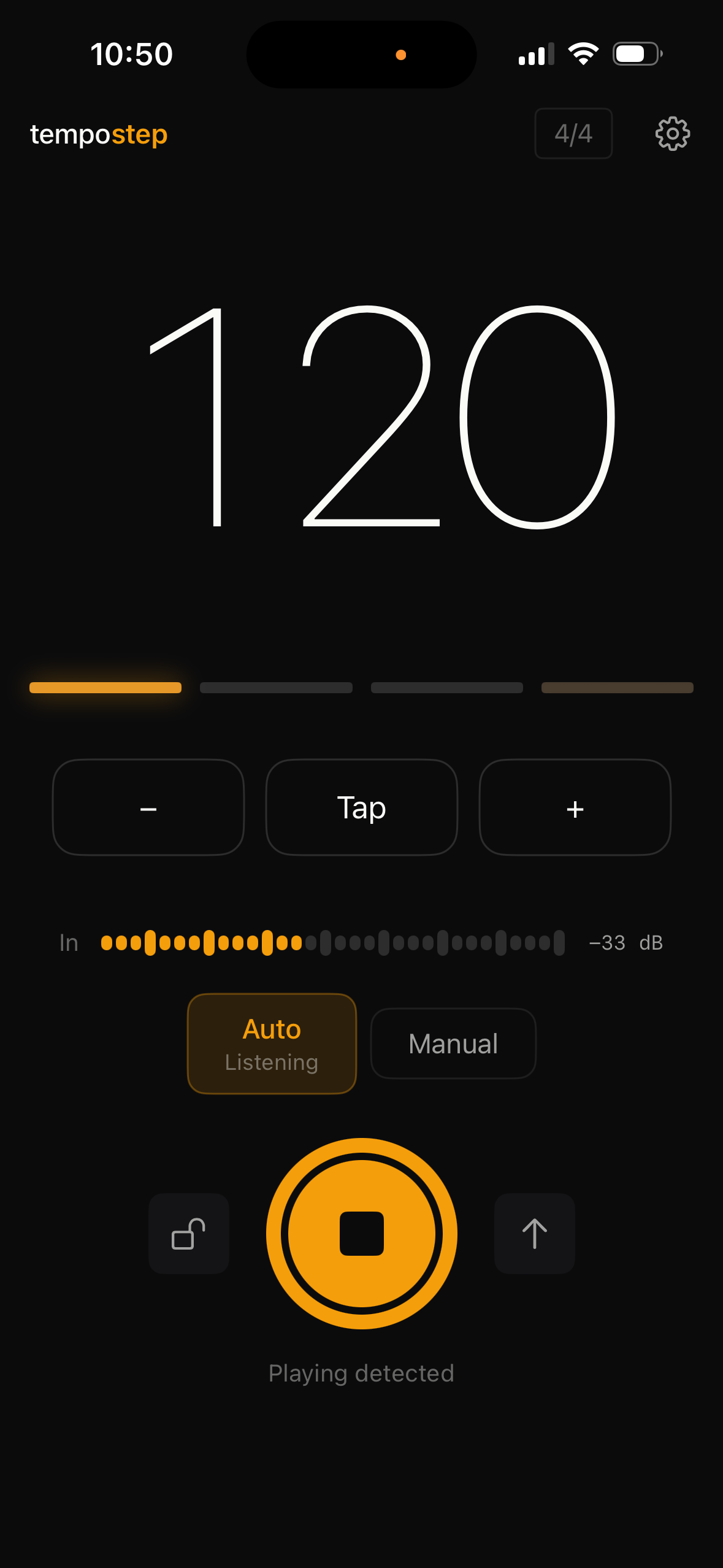
Playing detected

The level meter lights up and the ring around Play fills as you play. The app knows you are active and will not advance while sound is present.

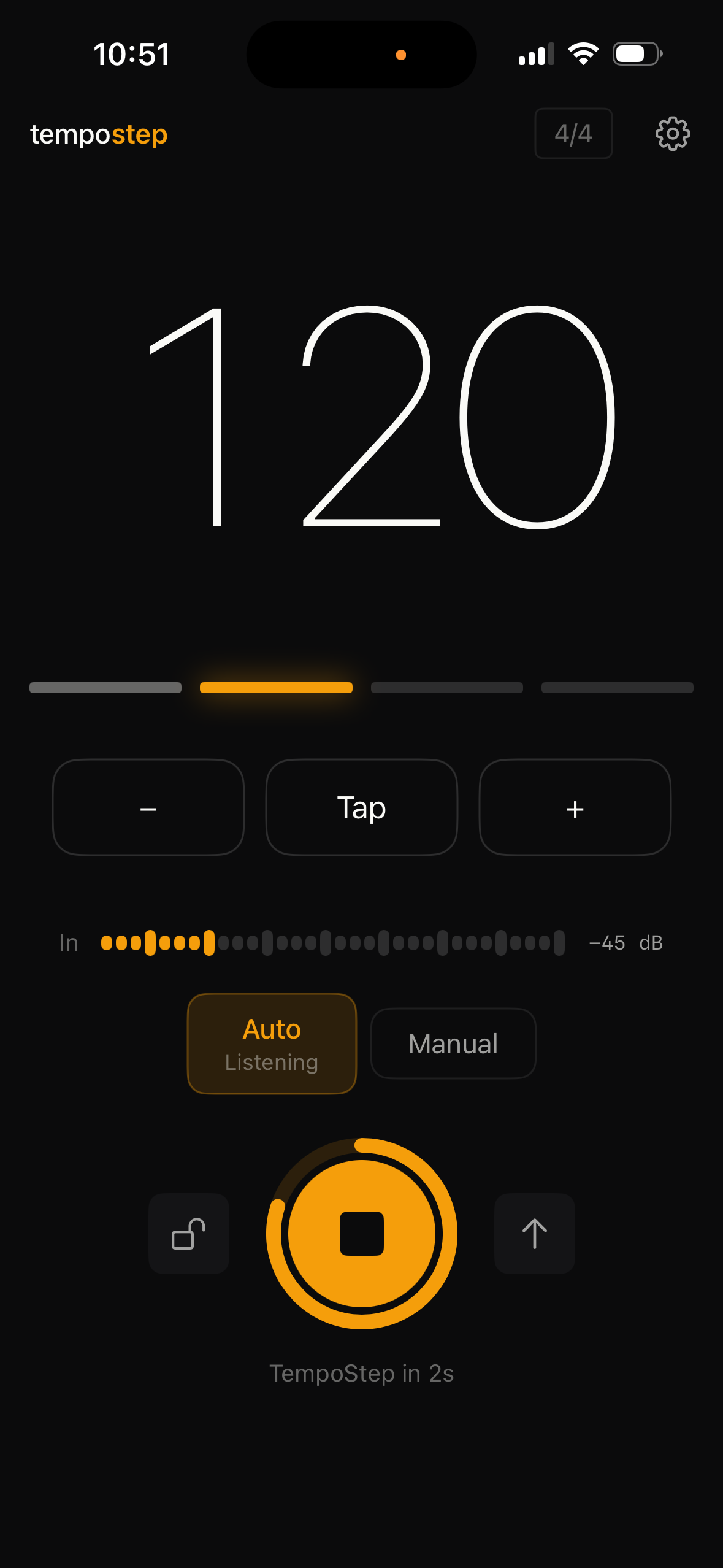
03

Silence countdown

When you stop, the ring around Play begins to empty. The countdown length is set in Settings. Take as long as you need after it runs out.

04

BPM advances

Once the ring empties, the tempo steps up by the increment you have set. TempoStep is ready for when you begin your passage again.

Step Up mode. Further demos covering Shuffle, Spiral, and Step Down are in production.
Live demo

The full loop,
uninterrupted.

A live session: TempoStep listens, detects silence, and steps the BPM on its own between passes.
Practice modes

Four modes,
one mic-driven advance.

Step Up mode screen

Step Up

Climb from a starting BPM toward a target you set. Each silence advances the tempo by your chosen increment.

Best for

Building speed on a passage you've roughed in but not yet locked at tempo.
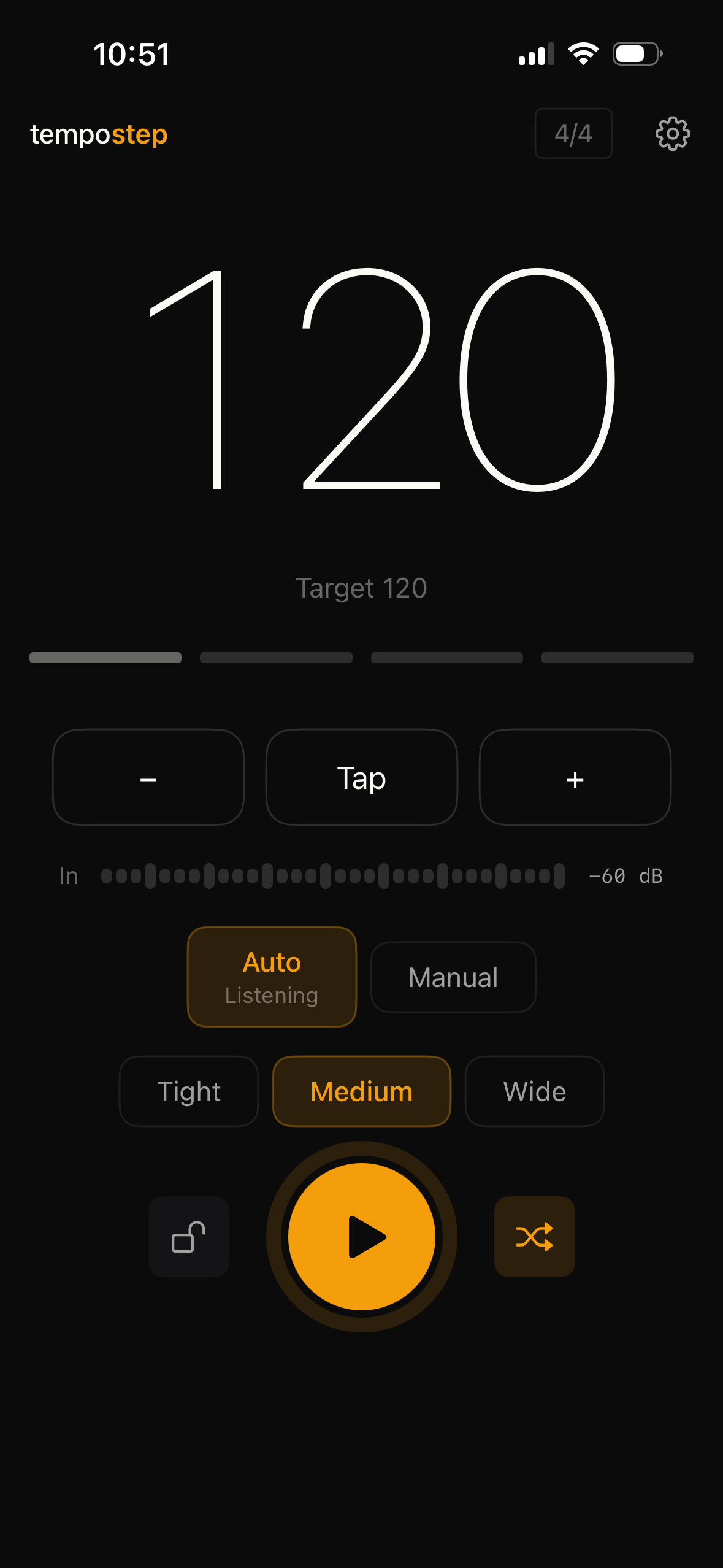
Shuffle mode screen

Shuffle

Each silence picks a new random BPM around the target. Range is configurable: tight, medium, or wide.

Best for

Passages already at tempo. Trains adaptability so the music isn't memorized at one speed.
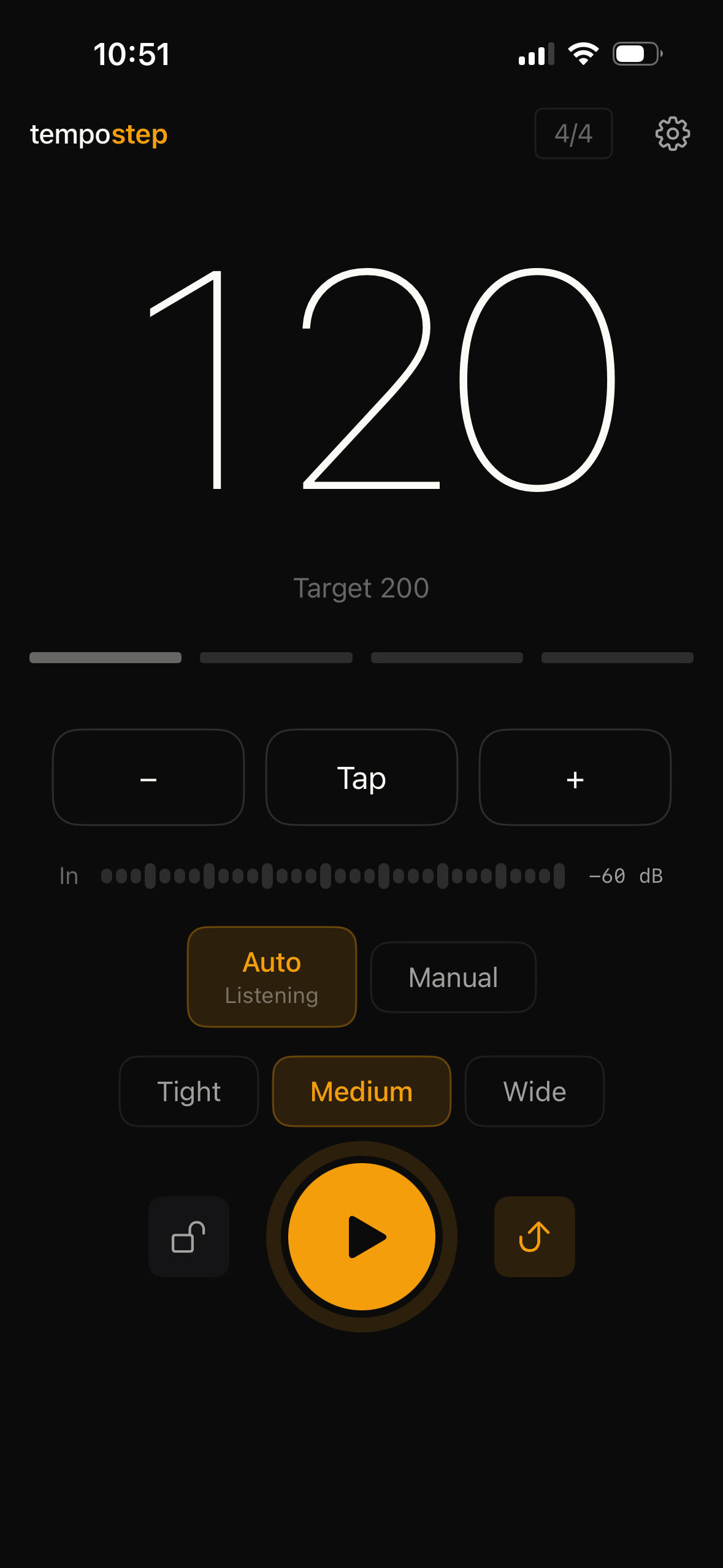
Spiral mode screen

Spiral

Climb-and-drop cycle. After each step up, the tempo drops back partway, then climbs again. Reinforces every speed before moving higher.

Best for

Difficult passages where each intermediate tempo needs more than one pass to settle.
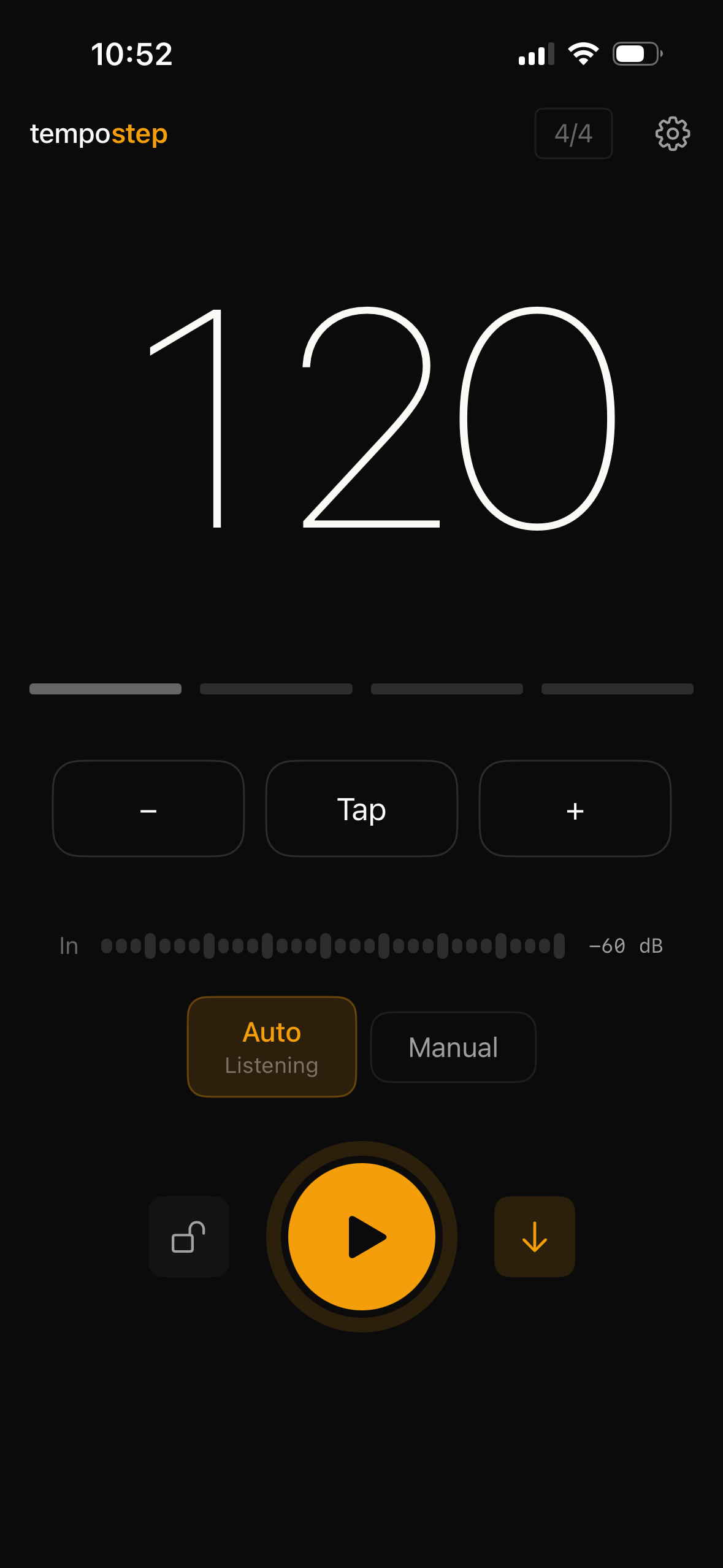
Step Down mode screen

Step Down

Step Up in reverse. Start at a fast tempo and walk it down toward a slower target.

Best for

Sessions that begin near performance speed and need to find precision at slower tempi.

Key features

A small set,
each pulling its weight.

01

Auto advance

The mic hears when you stop and when you begin again. The BPM steps toward the target on its own.

02

Microphone calibration

A two-second baseline sets a threshold for your room. Works in practice rooms, at home, on the road.

03

Runs in the background

Auto advance keeps working with forScore, IMSLP, a tuner, or anything else open on the phone.

04

Tap tempo

A few taps and the BPM matches a recording, a teacher, or your own reference.

05

Subdivisions

Off, 8th, triplet, 16th. Set in the settings menu.

06

Hold tempo

A lock pauses the advance. Groove on the current BPM until you unlock.

07

Manual mode

Mic detection off. Plain metronome with one-tap advance. No calibration step.

08

Configurable countdown

Set how long the silence countdown runs before the tempo advances.

09

One-time purchase

$4.99 once, yours forever. No subscription, no ads, no account.

How it differs

Every metronome clicks.
Only one of them listens.

Other apps that ramp the tempo on their own use a bar count, a timer, or a smooth climb. They follow the clock. TempoStep follows you.

OTHER AUTO-TEMPO APPS

Step or ramp apps

Trigger
On a bar count or timer. The clock decides when you advance.
Break time
The tempo keeps climbing whether you are playing or not.
If you stop
You fall behind. The app does not wait for you.
Ramp style
Stepped at fixed intervals or a smooth continuous climb.
Modes
Step up only, in most cases.
TEMPOSTEP

tempostep

Trigger
On your silence. Tempo advances only when you stop playing.
Break time
As long as you need. The app waits for you to begin again.
If you stop
Nothing happens until you start playing. Then the next tempo is ready.
Ramp style
Stepped by an increment you set, paced by your practice, not a clock.
Modes
Step Up · Shuffle · Spiral · Step Down.
About the founder

"I've spent decades in the practice room working through passages by changing tempi, stop, reach for the metronome, reset, start again. It's a small interruption, but it breaks momentum. TempoStep removes that moment."

AM
Alan Molina
Orchestral violinist · Independent developer · Maker of TempoStep
Assets & downloads

Everything you need to file the story.

All assets free to use in editorial coverage of TempoStep. The annotated guided demo is available to download below; contact press for a clean version without on-screen labels.

TempoStep app icon
App icon app-icon.png · 1024×1024 · PNG
Download → Brand
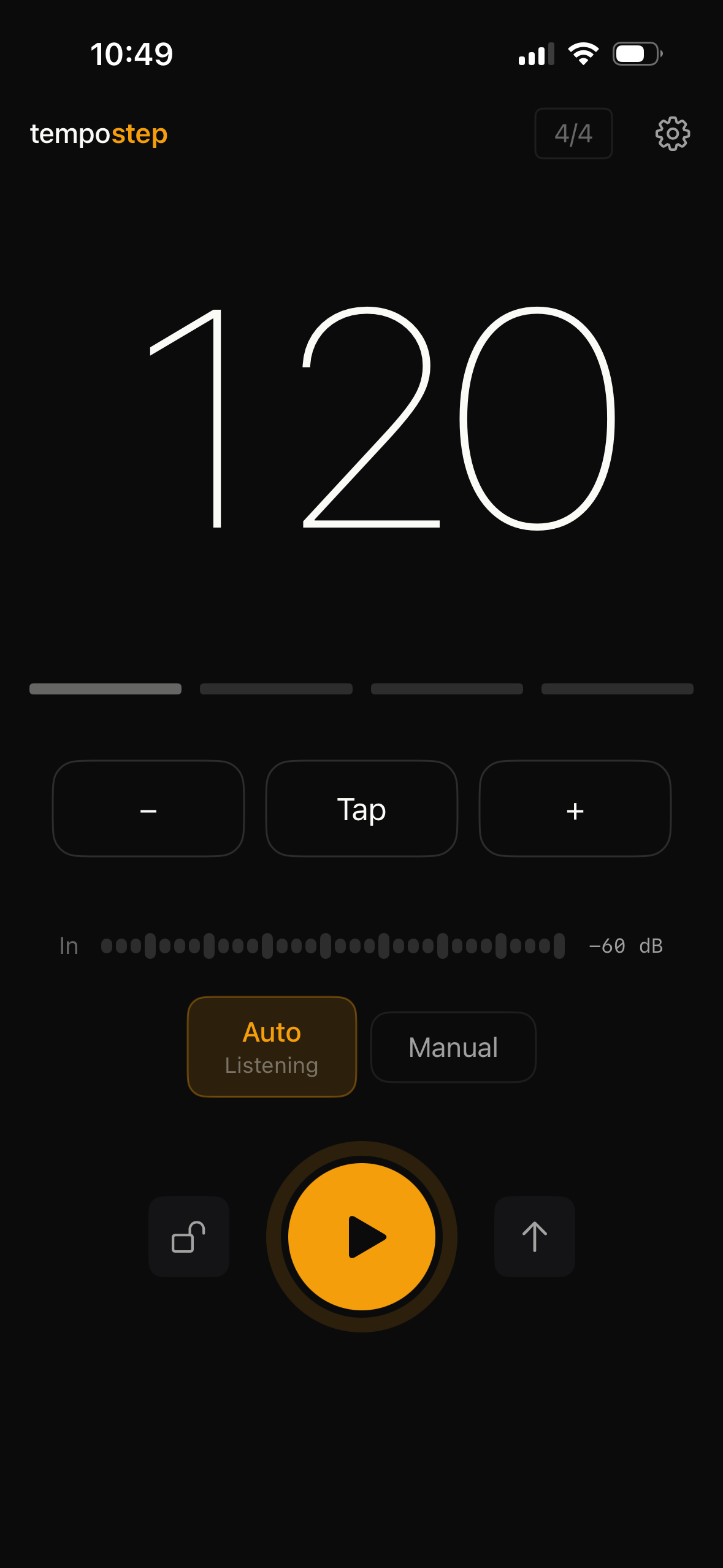
Idle screen
Idle, Auto, Listening IMG_9821.PNG · 1180×2556 · iPhone
Download → Screen 01
Playing detected
Playing detected IMG_9822.PNG · 1180×2556 · iPhone
Download → Screen 02
Silence countdown
Silence countdown IMG_9823.PNG · 1180×2556 · iPhone
Download → Screen 03
Step Up mode
Step Up mode IMG_9821.PNG · 1180×2556 · iPhone
Download → Screen 04
Shuffle mode
Shuffle mode IMG_9824.PNG · 1180×2556 · iPhone
Download → Screen 05
Spiral mode
Spiral mode IMG_9825.PNG · 1180×2556 · iPhone
Download → Screen 06
Step Down mode
Step Down mode IMG_9826.PNG · 1180×2556 · iPhone
Download → Screen 07
Live demo TempoStep_Live_Demo.mp4 · Unedited practice session
Download → Video
Guided demo (annotated) TempoStep_Annotated_Demo.mp4 · 19.5s
Download → Video
Need everything at once? All screenshots, app icon, wordmark, and clean demo MP4 in a single archive.
Request zip →